Give Windows a check-up.
Review memory and disk space, startup entries and recent stability records. Run Defender and Windows system-file checks from the same place.
A snapshot of health, not a guarantee of a fault-free PC.
Understand what’s going on. Find the right next step. PC_TOOLBOX brings everyday Windows checks, driver tools and file recovery into one place.
A portable, time-limited beta. No activation code required.
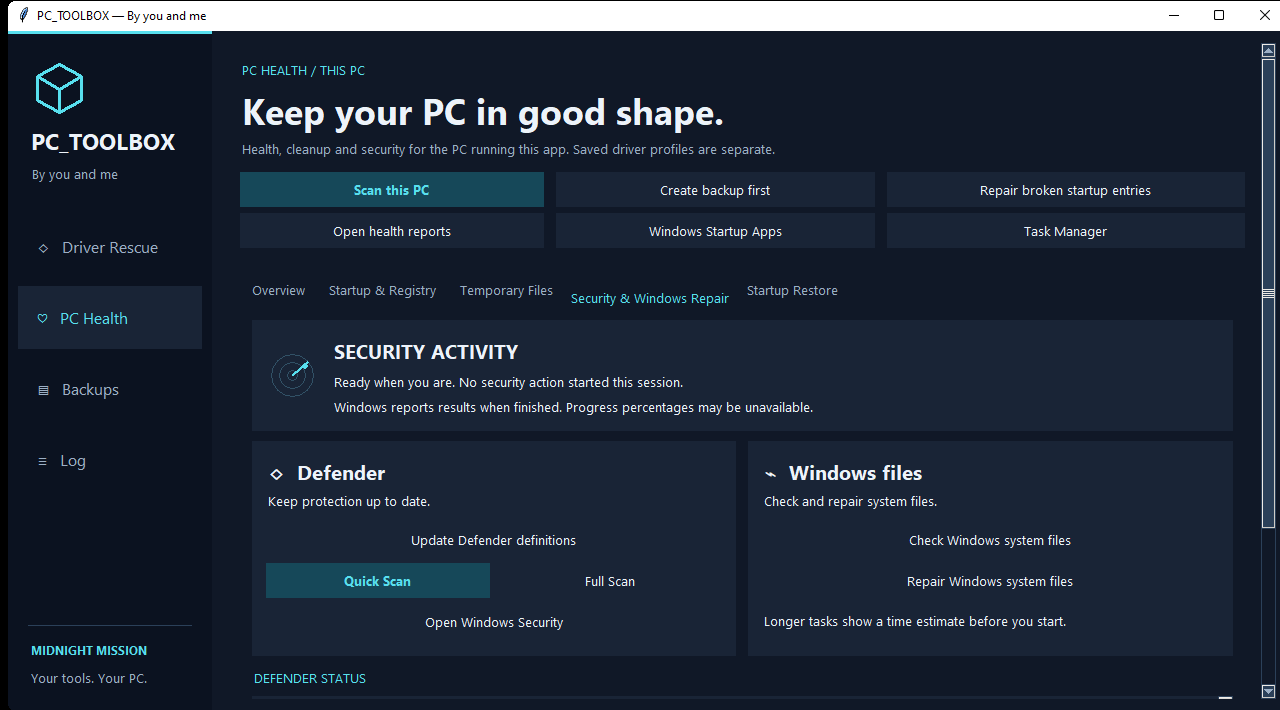
From a health check on your own PC to helping another computer, start with a clearer picture.
Review memory and disk space, startup entries and recent stability records. Run Defender and Windows system-file checks from the same place.
A snapshot of health, not a guarantee of a fault-free PC.
Scan this PC, or take an encrypted hardware scan from another machine. Review driver candidates and prepare recommended packages for installation.
Compatibility checks come before installation.
Survey a disk or image for possible file headers, then recover files to a different physical disk using the integrated PhotoRec engine.
Recovery isn’t guaranteed. Original filenames may be lost.
Create startup-setting backups, review broken entries and restore saved startup values. Keep a log of what happened along the way.
Startup backups are not full-PC or personal-file backups.
Start with scans and checks. Read the findings before deciding what to change.
Choose the tool you need. Longer tasks explain timing before you start.
Follow activity and completion notices, then review the log and saved reports.
PC_TOOLBOX isn’t publicly released yet. Tell us what interests you and we’ll review your request personally.
Beta software can have bugs. Back up important files before repairs or recovery. This is a request for access, not an instant download or subscription.
Yes. The separate beta does not require an activation code, subscription or fix allowance. It has a fixed expiry date shared by every copy. Reinstalling does not extend it.
The application blocks new use and asks for a newer build. Operations already started may finish. Your files and saved reports are not deleted.
The Windows application is portable. Extract the supplied package and open the executable. Some tools need Windows administrator approval, and online driver searches need internet access.
No. The free survey counts possible file headers, including matches in existing files. Recovery uses PhotoRec, saves to a different physical disk and may not preserve original filenames.
Your name, email, selected interest and optional message are saved privately for the site administrator to review. They are used to handle your request. You can ask for your request to be removed using the form above with “General enquiry”.
Use the form above and choose “General enquiry”. Our support and info mailboxes are being set up.